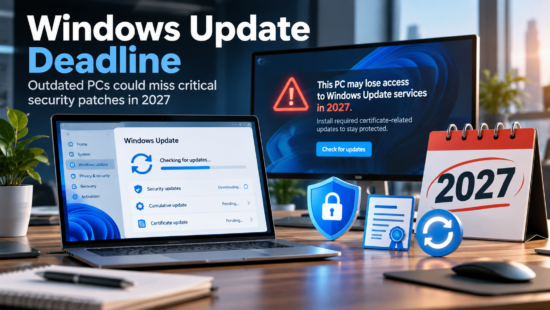
If your practice’s server is still running Windows Server 2016, the countdown has already started. Microsoft has confirmed that extended support for Windows Server 2016 ends on January 12, 2027. After that date, the operating system stops receiving security patches entirely, and any dental practice management software running on top of it, including Dentrix, Eaglesoft, or Open Dental, inherits that exposure.
For a general office, an unsupported server is a compliance headache. For a dental practice, it’s different. Your server isn’t just storing files. It runs the software that holds patient records, drives imaging systems that generate diagnostics chairside, and sits at the center of a HIPAA-regulated environment where an unpatched vulnerability isn’t just a technical risk. It’s a reportable incident waiting to happen.
Why “It Still Works” Isn’t the Same as “It’s Supported”
Most practices don’t replace a server because it broke. They replace it because someone finally asked whether it should still be running. Windows Server 2016 will keep functioning after January 2027 the same way it did the day before. Dentrix will still open. X-rays will still load. Nothing will look different.
What changes is what’s underneath. Once extended support ends, Microsoft stops shipping fixes for newly discovered vulnerabilities in that operating system. Every exploit found after that date stays open indefinitely because no patch is coming. A server that was merely aging becomes a server with a permanently unlocked door, and it’s sitting behind your practice management software and your patient imaging.
This is the same pattern practices lived through with Windows 10, which reached its own end of support in October 2025. Server operating systems host far more sensitive workloads than a single desktop, which is why the stakes here are higher, not lower.
What Dentrix Actually Requires From Your Server
This is where server requirements start to matter beyond the compliance conversation. Henry Schein One’s own current system requirements documentation is explicit about the deadline dental practices are facing: it notes that Windows Server 2016 support ended in 2022, with extended support continuing only until January 12, 2027. That’s not a third-party estimate. It’s the vendor’s own published guidance to practices running Dentrix.
Beyond the operating system version, a server that’s actually equipped to run Dentrix, Eaglesoft, or Open Dental reliably needs to account for a few things that generic office IT specs don’t:
- Dedicated resources for imaging. Digital X-ray, CBCT, and intraoral camera files are large, and they compete for CPU and RAM with practice management software running on the same box. When both run on undersized, shared hardware, the result is the slow X-ray loads and mid-scheduling freezes that practices often assume are “just how the software is.”
- SSD storage, not mechanical drives. Imaging workloads are I/O-intensive in a way that hard disk drives were never built to handle. A drive swap alone often resolves performance complaints that practices had written off as unfixable.
- Sufficient RAM for concurrent processes. Practice management software, imaging, antivirus, and backup jobs often run at the same time. Insufficient memory means all four compete, and the practice notices it as sluggishness during the busiest hours of the day.
- A currently supported operating system. This is the requirement Windows Server 2016’s EOL date directly threatens, and it’s the one most practices are least aware is time-limited.
A server that meets all of these except the OS version is still a server with an expiration date on it.
The Compliance Exposure Most Practices Underestimate
HIPAA doesn’t have a rule that says “replace your server operating system by a specific date.” What it does require is that covered entities maintain reasonable administrative and technical safeguards for patient data, and running production systems on software that no longer receives security updates is difficult to defend as reasonable once the deadline has passed. OCR’s civil penalty structure for HIPAA violations currently runs from $145 to just over $2.19 million per violation, depending on the level of culpability involved, and an unpatched, internet-facing server is exactly the kind of gap examiners look for after a breach.
The financial exposure isn’t hypothetical. Healthcare breaches cost an average of $7.42 million in IBM’s 2025 Cost of a Data Breach Report, and dental practices, while smaller than hospital systems, hold the same category of protected health information that makes healthcare the most expensive breach category for the fourteenth year running. A ransomware event that starts on an unpatched server doesn’t stay contained to that server. It moves to imaging, to scheduling, to billing, and to every workstation on the network.
What Migration Actually Looks Like
The practices that handle this deadline well don’t treat it as a single cutover date. They treat it as a planning window that starts now and finishes well before January 2027.
Inventory first. Confirm what’s actually running on the current server: the Dentrix, Eaglesoft, or Open Dental version, the SQL Server version underneath it, and any third-party integrations (eClaims, imaging software, patient communication tools) that depend on that environment. A migration that misses a dependency is how practices end up with a working new server and a broken imaging integration on day one.
Assess hardware, not just the OS. If the underlying server hardware is more than five years old, an in-place OS upgrade isn’t the right move. Aging hardware paired with a new operating system just relocates the performance problems. This is the moment to evaluate whether a rebuild on new hardware, sized correctly for imaging and practice management running together, makes more sense than patching an old box forward.
Test the backup before you need it. Migrations are exactly when backup gaps get discovered, usually the hard way. A tested, image-based backup with the 3-2-1 structure (three copies, two media types, one offsite) means a migration that goes wrong is a delay, not a disaster.
Schedule around clinical hours. Server migrations for dental practices need to happen without interrupting chair time. That means planning the cutover for after hours or a slow day, with a rollback plan in place if something doesn’t come up clean.
None of this needs to happen in a panic in December 2026. It needs to happen on a schedule that gives your practice management software, your imaging systems, and your vendor relationships time to be tested before the old server’s support runs out.
Where This Puts Your Practice Today
Every practice sits somewhere on a spectrum right now: already migrated, actively planning, or not yet aware the deadline exists. If you’re not sure which category your practice falls into, the fastest way to find out is a straightforward infrastructure assessment, checking server age, current OS version, backup integrity, and how imaging and practice management software are sharing (or competing for) resources.
If January 2027 is still a year and a half out, that’s enough time to migrate on your own schedule instead of being forced into it. If you haven’t looked at your server’s support status recently, now is the time. Aspire Technical Solutions works exclusively with dental practices across Dallas-Fort Worth, and we offer a free infrastructure assessment covering your server’s current support status, Dentrix and Eaglesoft software performance, and HIPAA compliance posture. Contact us at (469) 7-ASPIRE or info@aspiretech.com to schedule yours before the deadline decides the timeline for you.