AI Can Help You Deliver Them Without Hiring More Staff
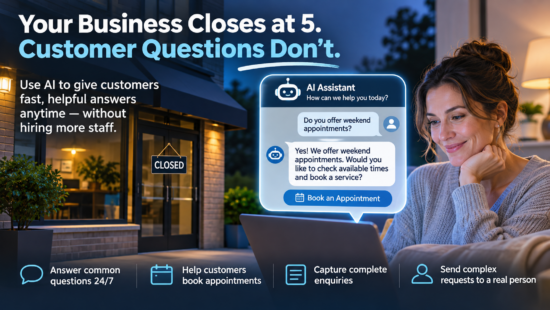
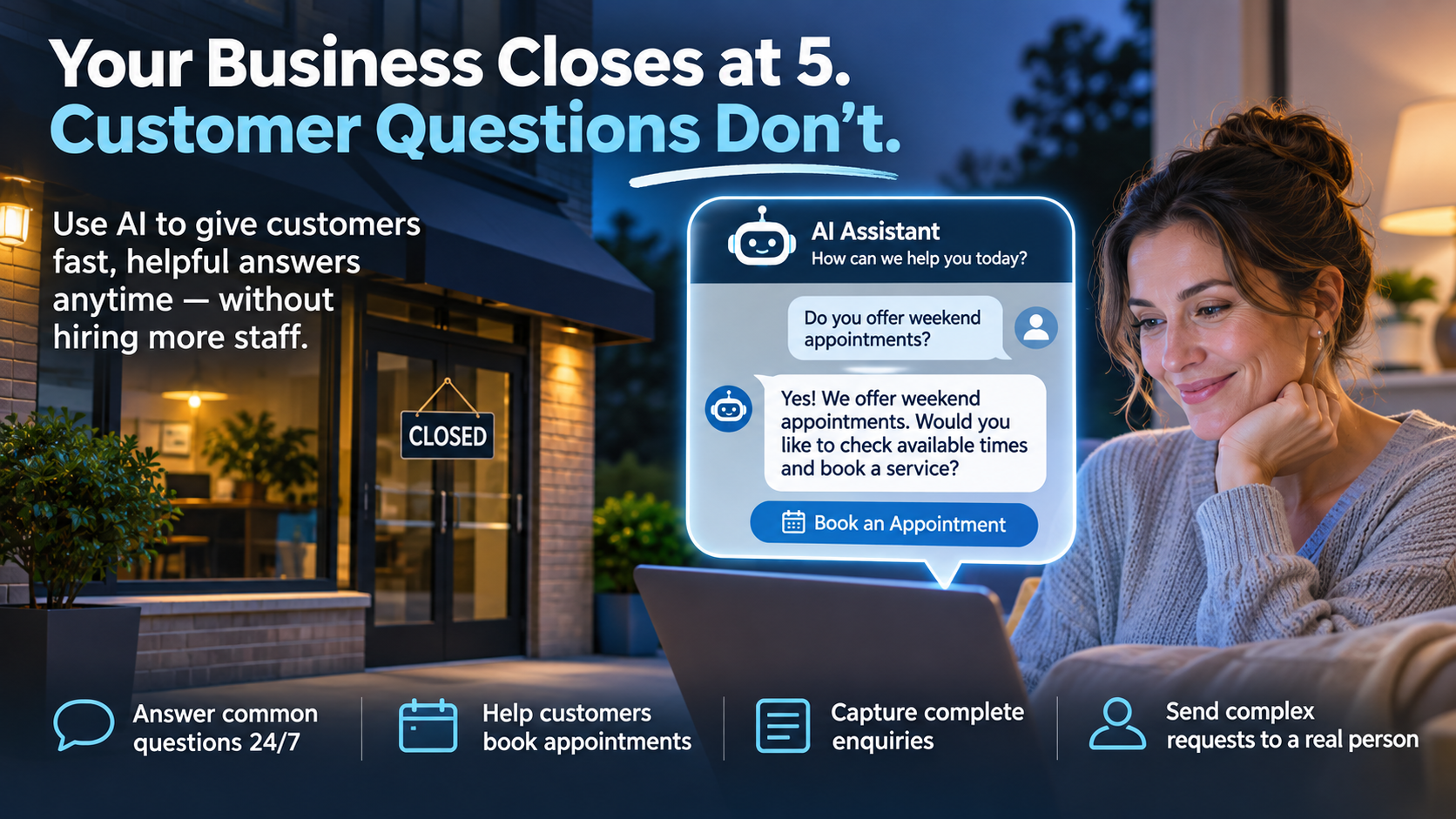
Your business closes at 5 p.m. Your customers don’t stop asking questions at 5 p.m. Artificial intelligence is giving small businesses a practical way to bridge that gap without hiring an overnight customer service team.
It’s 9:30 on a Tuesday evening.
A homeowner visits a local plumbing company’s website because she wants to schedule a kitchen faucet replacement. She has a few questions about the service, how appointments work, and what information the company needs to provide an estimate.
Ordinarily, she might fill out a contact form and wait until the next morning for a response.
Or she might visit another company’s website.
But imagine if the website could answer her basic questions immediately, explain how the appointment process works, and collect the details needed for someone to follow up.
The customer gets helpful information without waiting. The business receives an organized enquiry instead of a vague contact form submission.
And no employee had to be sitting at a computer at 9:30 p.m.
That’s one of the most practical opportunities artificial intelligence offers small businesses today.
Customer Expectations Have Changed
Today’s customers are accustomed to getting information immediately. They can track packages, make restaurant reservations, manage bank accounts, and purchase products at any hour.
Increasingly, they expect a similar experience when contacting a business.
Zendesk’s 2026 Customer Experience Trends research found that 74% of surveyed consumers now expect customer service to be available 24 hours a day, seven days a week, because of AI.
But there is another important finding.
According to Gartner research published in August 2026, 87% of surveyed customers believe companies using generative AI for customer service must offer access to a human representative.
Those two findings tell an interesting story.
Customers want faster service, but they don’t necessarily want to deal with a robot every time they contact a business.
They want their questions answered, their problems understood, and a clear way to reach someone who can help when a situation becomes complicated.
For small businesses, that means the goal shouldn’t be replacing customer service employees with AI.
The goal should be using AI to help employees deliver better service.
1. Answer Common Customer Questions After Business Hours
Most businesses receive the same questions repeatedly.
What are your business hours? Do you serve my area? How do I request an estimate? What services do you offer? Can I book an appointment online?
These are ideal questions for a properly configured AI customer service assistant.
Unlike a traditional chatbot that requires customers to choose from a rigid list of options, an AI assistant can interpret questions written in ordinary language and respond using information supplied by the business.
For example, a customer might type:
“Do you work on weekends, and can someone come to my office in Mississauga?”
If the business has provided accurate operating hours and service-area information, the assistant can explain whether weekend appointments are offered and whether Mississauga falls within the company’s service area.
When the assistant doesn’t have enough information, it should say so and offer to connect the customer with an employee.
The important principle is simple: AI should answer questions using approved company information, not invent answers that sound convincing.
2. Capture Better Customer Enquiries
Many small business websites still rely on basic contact forms.
Name. Email address. Phone number. Message.
Those forms serve a purpose, but they often produce incomplete enquiries.
A customer might submit a message saying, “I need some help with my office,” without explaining the problem, location, urgency, or service required.
An AI assistant can help collect relevant details through a natural conversation.
For example, it might ask:
- What type of service are you looking for?
- Where is the work required?
- Is this a new project or an existing issue?
- When would you prefer someone to contact you?
- What is the best way for our team to reach you?
Instead of sending employees an incomplete form, the system can provide a structured summary of the customer’s request.
That makes the next conversation more productive for everyone.
Of course, the assistant should collect only the information actually needed, explain how that information will be used, and follow the business’s privacy requirements.
3. Help Customers Schedule Appointments
Scheduling is another area where AI can make customer service more convenient.
Appointment-based businesses frequently spend time answering emails, checking calendars, and coordinating available dates.
With the right scheduling integration, an AI assistant can help customers find available appointment times and complete a booking.
Think of a dental office, accounting firm, home services company, or consulting business.
A customer could visit the website, describe the type of appointment needed, and select from available times without waiting for someone to answer the phone.
There is one important technical requirement: the AI assistant needs access to a properly configured scheduling system.
It should never promise an appointment based on a guessed availability.
If a calendar integration isn’t available, a simpler first step is to let AI collect preferred dates and times so an employee can confirm the appointment.
Even that modest improvement can reduce administrative work and make the customer experience smoother.
4. Give Employees a Head Start on Every Customer Conversation
Here’s something customers particularly dislike: explaining the same problem repeatedly.
They describe an issue to a website assistant, call the company later, and then have to start from the beginning with an employee.
That’s not better customer service.
When properly integrated with a customer management or support system, AI can summarize the original conversation and make that information available to the employee handling the request.
Instead of receiving an unorganized transcript, the employee might see:
Customer enquiry summary:
Customer needs assistance replacing five office workstations. The business is located in the Greater Toronto Area. Replacement is preferred within the next month. Customer wants information about business-grade computers, installation, and transferring existing files. Follow-up requested by email.
The employee can begin the conversation with useful context instead of asking the customer to repeat everything.
That improves efficiency, but more importantly, it makes the customer feel that the business is paying attention.
5. Know When AI Should Bring in a Real Person
Not every customer enquiry should be handled by artificial intelligence.
A straightforward question about business hours is one thing.
A customer disputing an invoice, reporting an urgent problem, requesting a refund, or expressing frustration deserves a different level of attention.
Every AI customer service system should have clear rules for involving a human employee.
For example, the assistant should offer escalation when:
- A customer explicitly asks to speak with a person.
- A question involves a complaint or dispute.
- The assistant cannot confidently answer a question.
- A customer reports an urgent or potentially dangerous situation.
- The conversation involves sensitive personal or financial information.
- A request requires an employee to make a business decision.
Where live support is available, the assistant can transfer the conversation to a person. Outside business hours, it can explain when employees are available and arrange an appropriate follow-up.
For urgent service requests, it should clearly display the company’s approved emergency contact instructions rather than suggesting that a message submission guarantees an immediate response.
The best AI customer service system doesn’t trap customers in automated conversations. It helps them reach the right solution, including a real person when needed.
Try This Today: Build Your First AI Customer Service Knowledge Base in 30 Minutes
You don’t need to purchase a sophisticated customer service platform to start exploring how AI could improve your business.
Here’s a practical exercise that any small business owner can complete today using ChatGPT, Microsoft Copilot, or another AI assistant approved for business use.
Minutes 1–5: Identify Your 10 Most Common Customer Questions
Write down the questions customers ask most frequently.
Start with business hours, service areas, appointments, pricing procedures, estimates, cancellation policies, and common service questions.
Minutes 6–15: Write Your Approved Answers
Provide an accurate answer to each question.
Don’t worry about making the writing perfect. The important part is ensuring the facts are correct.
If your company doesn’t provide fixed prices, say so. If appointments must be confirmed by an employee, make that clear.
Minutes 16–20: Use AI to Organize the Information
Copy the following prompt into your AI assistant:
I own a small business and want to improve our customer service using AI.

Below are 10 frequently asked customer questions and our approved answers:

[INSERT YOUR 10 QUESTIONS AND ANSWERS HERE]

Create a customer service knowledge base that an AI website assistant could use to answer these questions.

For each question, provide:

1. A clear, friendly answer.
2. A shorter answer suitable for website chat.
3. An explanation of when the question should be referred to an employee.

Do not invent prices, policies, hours, guarantees, or appointment availability.

If information is missing, clearly flag it.

Our customer service should sound friendly, professional, and conversational.

Customers must always have a clear option to contact a real person.
Minutes 21–25: Test the Answers
Ask the AI assistant questions as though you were a customer.
Try using different wording from your original questions. Ask something the business doesn’t provide an answer for. Try a complaint, an urgent request, and a question about an unavailable appointment.
Pay attention to whether the AI provides accurate information, acknowledges uncertainty, and recommends human assistance appropriately.
Minutes 26–30: Decide What Happens Next
Review the results and identify the questions AI could safely answer without employee involvement.
You’ve now created the foundation for an AI customer service knowledge base.
Turning that information into a live website assistant requires additional work, including selecting a platform, configuring access, testing responses, and establishing privacy and escalation procedures. But the exercise gives you a useful starting point before making any investment.
How Much Could Better Customer Service Be Worth?
Businesses often evaluate AI based on how much employee time it might save.
That’s important, but it isn’t the only consideration.
What is the value of answering a prospective customer’s question before they leave your website?
What is the benefit of an employee beginning a conversation with all the necessary information?
What happens when a customer can find the answer they need immediately instead of calling the office three times?
Those improvements can make a meaningful difference to customer satisfaction.
Businesses should evaluate AI customer service tools using measures such as response times, successfully answered enquiries, completed bookings, customer satisfaction, and the quality of requests passed to employees.
Automating more conversations isn’t necessarily a success if customers leave frustrated or receive incorrect information.
The Future of Customer Service Isn’t Human or AI. It’s Both.
For years, small businesses have faced a difficult balancing act.
Customers want fast, knowledgeable, personal service. But hiring additional staff to answer every enquiry around the clock isn’t realistic for most organizations.
Artificial intelligence offers a way to improve that balance.
It can answer routine questions, collect useful information, assist with scheduling, and help employees respond more efficiently.
But technology should support the relationships that make small businesses successful, not weaken them.
Customers still want to know that someone is listening, that their concerns matter, and that a knowledgeable employee is available when they need help.
The best customer service technology doesn’t replace the people who make your business successful. It helps those people deliver better service, faster.
Could AI Help Your Business Deliver Better Customer Service?
AI customer service doesn’t have to begin with an expensive software project. It can start with understanding your most common customer questions, organizing accurate answers, and identifying repetitive work that technology could simplify.
A knowledgeable IT support provider can help your business evaluate customer service AI platforms, connect approved information sources, establish privacy safeguards, and ensure automated systems work alongside your existing employees.
Contact your IT support company to explore practical ways AI could improve your customer experience while reducing repetitive administrative work.
Research sources:
- Zendesk Customer Experience Trends 2026 — Consumer expectations for 24/7 customer service.
- Gartner, August 4, 2026 — Customer attitudes toward AI and access to human support.