
Hackers Have Found a Way Into Microsoft 365 Without Stealing Your Password
A newly discovered cyberattack is exposing a dangerous blind spot in business cybersecurity: the trusted software applications that connect to Microsoft 365 may have access to far more information than companies realize.
For years, businesses have been encouraged to protect their Microsoft 365 accounts with strong passwords and multifactor authentication (MFA). And for good reason. Those protections remain essential to preventing unauthorized access.
But what happens when a cybercriminal doesn’t need an employee’s password at all?
That’s the troubling question raised by a newly reported cyberattack that began on November 1, 2026. Security researchers at Todyl have identified an active campaign in which attackers are gaining access to Microsoft cloud environments by exploiting stolen credentials belonging to trusted software applications.
As of November 3, investigators had identified unauthorized access affecting at least 27 organizations, including managed IT service providers and their customers. The activity involved Microsoft Entra ID, Microsoft 365, Azure and Azure DevOps.
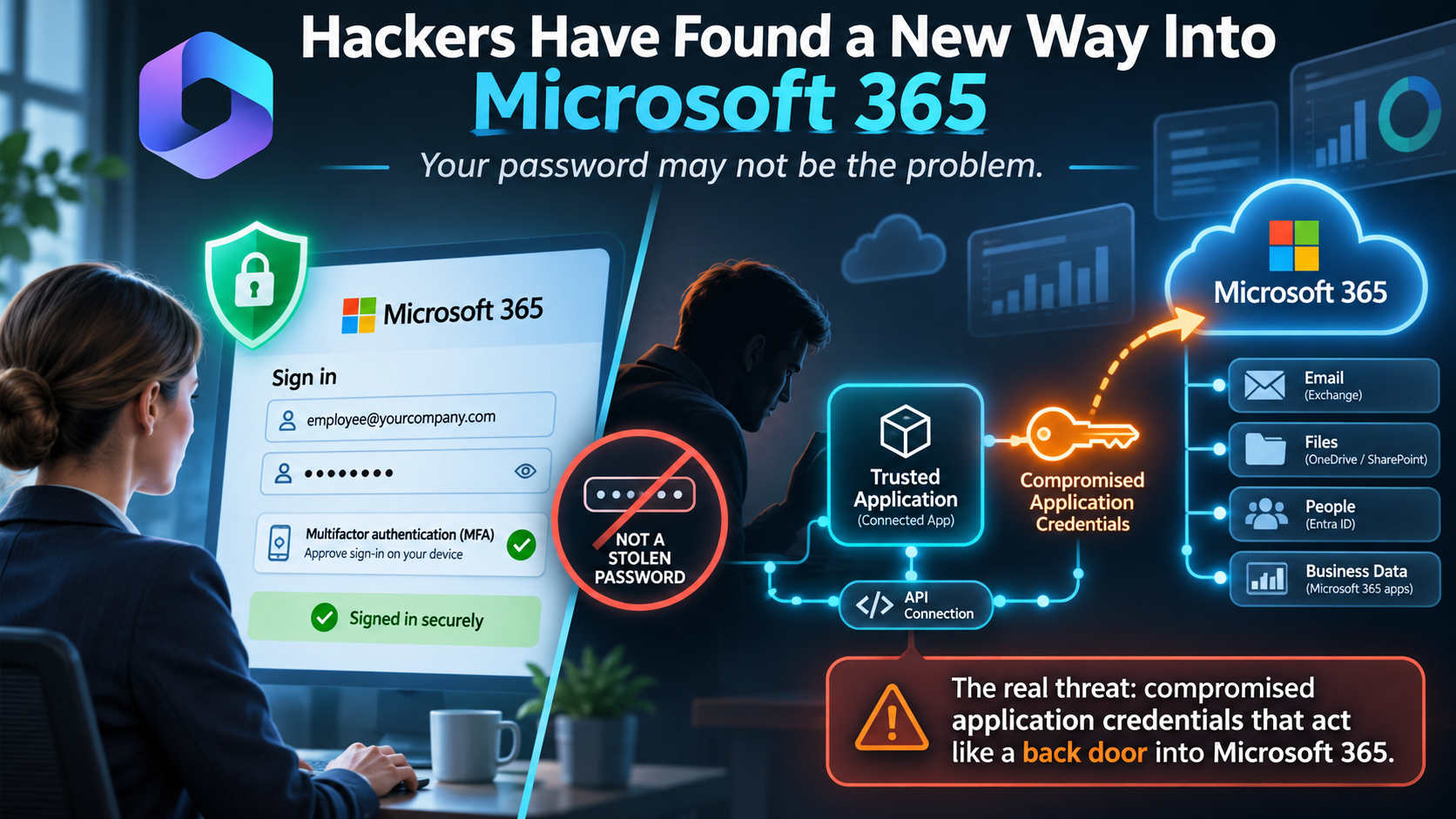
The attackers weren’t necessarily breaking through an employee’s login. They were using legitimate application credentials to enter through an entirely different door.
The Back Door Most Businesses Don’t Know Exists
Modern businesses rely on numerous applications that connect to Microsoft 365.
Backup solutions, cybersecurity platforms, accounting integrations, automation tools and other services frequently require permission to access information inside a company’s Microsoft environment.
These integrations often operate automatically, without an employee signing in every time they run.
To make that possible, Microsoft allows applications to authenticate using their own digital credentials. These may include application secrets, certificates or other trusted authentication mechanisms.
Think of these credentials as digital keys issued to software rather than people.
When properly secured, these connections make business technology more efficient. But when criminals obtain those keys, they may be able to impersonate the applications themselves.
And here’s the important distinction: an application signing in with valid credentials typically does not encounter the same MFA challenge that protects an employee’s account.
The software is already presenting what appears to be an authorized identity.
That’s precisely the weakness attackers are exploiting.
What Security Researchers Discovered
According to Todyl’s November 3 investigation, attackers targeted approximately 45 application registrations across roughly 18 organizations, successfully authenticating through more than 33 of them.
Because some compromised applications had access to additional customer environments, the attack extended beyond the original organizations.
Investigators reported activity that included:
- Unauthorized access across at least 27 organizations.
- Searches involving approximately 25 Microsoft cloud environments.
- Downloads of 81 files.
- Access to approximately 2,279 mailbox items.
- Attempts to obtain additional application credentials and access connected services.
The affected environments included businesses and organizations in sectors such as government, transportation, construction, legal services, education and nonprofit operations.
Researchers also observed unusually rapid automated activity, with some attempts moving between applications and connected environments within seconds.
Importantly, investigators have not identified a new vulnerability in Microsoft 365 itself. The attack relies on credentials that were already valid. How the criminals originally obtained those credentials remains under investigation.
Why Multifactor Authentication Isn’t Enough
None of this means businesses should abandon multifactor authentication.
Quite the opposite.
MFA remains one of the most effective protections against account compromise, particularly attacks involving stolen employee passwords.
But businesses need to understand what MFA protects and what it doesn’t.
An employee signing into Microsoft 365 is one type of identity. A software application connecting automatically to Microsoft 365 is another.
Those application identities, often called service principals or workload identities, can have their own permissions, credentials and security policies.
If a trusted application has permission to read company files, access cloud resources or interact with sensitive systems, a criminal who obtains its credentials may inherit some of that access.
In other words, the security of your Microsoft 365 environment depends not only on protecting your employees, but also on protecting the applications you’ve authorized to operate inside it.
The Risk Can Extend Beyond a Single Business
One particularly concerning aspect of this campaign involves managed IT service providers.
Many IT providers use specialized tools and delegated administrative relationships to support multiple customers. These arrangements make it possible to manage systems, monitor security and deliver technical support efficiently.
But they can also create interconnected risks.
If an attacker compromises an application identity with access to multiple customer environments, the consequences may extend well beyond a single organization.
Todyl’s researchers documented activity in which access associated with an IT provider was followed by attempts to access downstream customer environments.
That makes protecting application credentials and limiting unnecessary permissions especially important for both businesses and the technology providers supporting them.
Five Questions Every Business Should Ask Its IT Provider
This incident offers an opportunity for business owners to have a practical cybersecurity conversation without needing to become experts in Microsoft Entra ID or cloud authentication.
Here are five questions worth asking.
1. Do we know which applications have access to Microsoft 365?
Many organizations accumulate integrations over time. Some may have been installed years ago by employees, software vendors or former IT administrators.
Every application connection should have a legitimate business purpose, a documented owner and an appropriate level of access.
2. Are those applications allowed to access more information than they need?
A backup solution, reporting platform or automation tool should receive only the permissions necessary to perform its intended function.
Limiting unnecessary permissions can reduce the damage if a credential is compromised.
3. Are application credentials being securely managed?
Application secrets should not be stored casually in documents, shared notes, source code or other unprotected locations.
Where appropriate, organizations should use managed identities or other stronger authentication methods and maintain procedures for replacing or revoking credentials.
4. Are we monitoring application activity, not just employee logins?
Cybersecurity monitoring should include unusual application sign-ins, unexpected permissions, suspicious access to files and activity involving cloud resources.
A successful application login can deserve just as much attention as an unusual employee login.
5. Could one compromised application expose multiple systems?
Businesses should understand which applications connect to sensitive data, administrative functions, backups and other critical technology.
Identifying these dependencies can help prevent one compromised credential from becoming a much larger incident.
What Should Businesses Do Right Now?
There is no indication that every Microsoft 365 customer has been compromised, and this incident does not mean that using Microsoft 365 is inherently unsafe.
However, the attack demonstrates why businesses should periodically review the application identities and permissions within their cloud environments.
For an organization with Microsoft 365, a sensible response includes reviewing connected applications, removing unnecessary access, checking for suspicious sign-ins, securing application credentials and confirming that appropriate monitoring is in place.
Organizations that discover indicators of compromise should work with qualified security professionals to investigate the scope of access, contain affected identities and determine whether sensitive information was exposed.
The Next Cybersecurity Challenge Isn’t Just Protecting People
Cybersecurity used to be explained largely in terms of protecting individual computers and employee accounts.
Today, businesses operate within interconnected networks of cloud applications, service providers, automation tools and digital identities.
Every connection introduces convenience. Some also introduce risk.
The latest Microsoft 365 credential-abuse campaign is a reminder that cybercriminals increasingly look for trusted relationships that can provide access without the need to defeat traditional login protections.
Your employees may have strong passwords. They may use multifactor authentication. Your computers may be fully updated.
Those are important achievements.
But if an overlooked software application holds a powerful digital key to your company’s information, that key needs protecting too.
The question businesses should be asking isn’t simply who can log into our Microsoft 365 environment. It’s what else can log in, and do we know exactly what it can access?
Is Your Microsoft 365 Environment Properly Secured?
Protecting Microsoft 365 involves more than passwords and multifactor authentication. Your IT team should also be reviewing connected applications, access permissions, cloud identities and suspicious activity.
If your organization hasn’t reviewed its Microsoft 365 security configuration recently, now is a good time to make it a priority.
Contact your IT support provider to discuss a Microsoft 365 security review and identify potential gaps before attackers have an opportunity to exploit them.
Source: Todyl Threat Research, November 3, 2026, Stolen App Credentials, Real Access: An Actor Is Signing Into Entra ID and Azure DevOps as Your Workloads. Investigation details reflect information available as of November 4, 2026.